A warning light pops on, and suddenly the drive home feels a lot less relaxing. It happens to everyone — doesn’t matter if you’re behind the wheel of a brand-new Nissan Sentra or a trusty Nissan Versa that’s racked up a few years of miles. The good news is that most Nissan dashboard warning lights are straightforward once you know what you’re looking at.
At Gordie Boucher Nissan in Greenfield, WI, our service team fields these questions every day, so here’s the breakdown you actually need.


These are the ones that get people’s hearts racing — and for good reason.
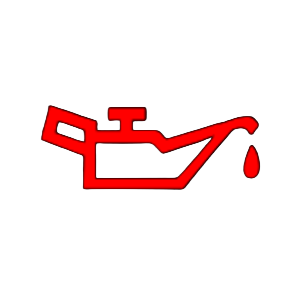
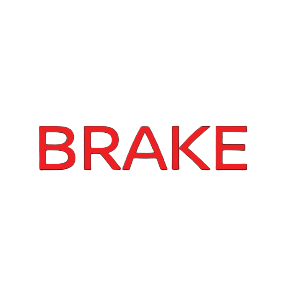
Oil Pressure Warning, Coolant Temperature Warning (engine overheating), or a flashing Check Engine Light. These can cause serious engine damage if ignored.
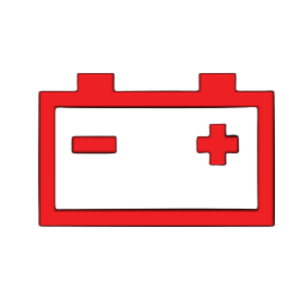
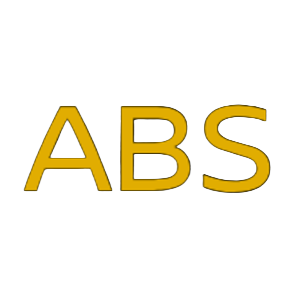
Battery /Charging System Light, Brake System Warning (if brakes feel normal), solid Check Engine Light, or ABS Warning Light. You have some time, but don’t put it off more than a day or two.
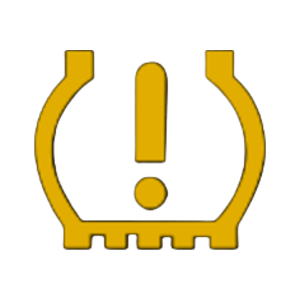
TPMS Light (unless a tire is visibly flat), a Traction Control fault, or any recurring intermittent light. These won’t leave you stranded tomorrow, but ignoring them creates bigger problems.
Whether you drive a Nissan Sentra, Rogue, Frontier, or Pathfinder, this urgency framework applies across the lineup. And if you’re ever unsure, the Gordie Boucher Nissan service team in Greenfield is happy to help you figure it out — a quick call often clears things right up.
| Warning Light | What It Means | Urgency |
|---|---|---|
| Check Engine Light | Engine/emissions issue; loose gas cap to major fault | Solid = soon; Flashing = pull over now |
| Oil Pressure Warning | Critically low oil pressure | Stop immediately |
| Battery/Charging Light | Alternator or battery issue | Drive to the shop today |
| Brake System Warning | Low brake fluid or brake fault | Check today; don’t delay |
| ABS Warning Light | Anti-lock system fault | Schedule service soon |
| TPMS Light | Tire(s) underinflated | Check pressure now |
| Traction/Stability Light | Flashing = system working; Solid = fault | Fault = schedule service |
| Low Fuel Light | Fuel getting low | Fill up soon |
It depends entirely on which light it is — and that’s the honest answer.
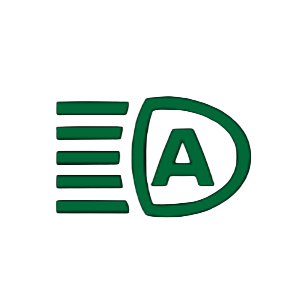
Some lights, like the Low Fuel indicator or the Exterior Light Indicator, have no immediate safety impact. Others, like the Oil Pressure Warning or a flashing Check Engine Light, mean the engine is in active distress. Continuing to drive with those on can result in permanent, expensive damage.
A common question from drivers looking up Nissan Versa dashboard symbols and meanings, or Nissan Sentra dashboard lights, is whether they can “monitor it,” the light, to see if it goes away on its own. With a few exceptions (like TPMS adjusting after a temperature change), warning lights don’t typically self-resolve. They’re the car’s way of flagging something that needs attention.
The rule of thumb: if a light is red, treat it as urgent. If it’s yellow or amber, it’s a “don’t put this off too long” situation. If it’s green or blue, it just confirms that a system is active.
One more thing worth knowing: when multiple lights come on at the same time, especially after a battery disconnect or a cold start, that’s often the car performing a self-check. If they all clear within a minute or two, you’re likely fine. If any stay on, get it looked at.
Dashboard warning lights aren’t there to stress you out — they’re there to protect the car and the people inside it. The more familiar you are with Nissan dashboard symbols and meanings, the faster you can make smart decisions when something pops up. And the faster you act, the less likely a small issue is to turn into a major repair.
Whether you’re driving a compact like the Versa around Greenfield or hauling cargo in a Frontier, Gordie Boucher Nissan has the tools and the trained technicians to diagnose anything your dash is trying to tell you. Don’t let a warning light become a waiting game.
If a Nissan dashboard warning light has come on and you’re not sure what to do next, scheduling a diagnostic appointment at Gordie Boucher Nissan in Greenfield, WI, is the easiest way to get a clear answer. Our service team will pull any stored codes, walk you through what they found, and get you back on the road with confidence. Book your appointment online or give the service department a call — it’s usually a quicker visit than you’d expect.
The Nissan car symbol that sometimes appears on the dashboard is typically part of the Intelligent Around View Monitor or a proximity warning system, alerting you to objects near the vehicle. Refer to your owner’s manual for model-specific details.
If it’s solid, you can usually drive to a shop, but don’t ignore it. If it’s flashing, pull over safely as soon as possible — a flashing light signals an active misfire that can damage the catalytic converter.
Multiple lights illuminating simultaneously often happens after a battery replacement or a brief power interruption while the car runs system checks. If they don’t clear within a minute or two, a diagnostic scan will identify any real faults.
Inflate all four tires to the recommended PSI (found on the driver’s door jamb sticker) and drive at highway speed for a few minutes. The TPMS light should reset automatically. If it doesn’t, a sensor may need service.
Following Nissan’s recommended maintenance schedule — typically every 5,000–7,500 miles depending on the model and oil type — is the best way to catch issues before they trigger a warning light.
Your regular brakes still work, but the anti-lock system won’t activate in an emergency stop, which can increase stopping distance on slippery surfaces. It’s not a “don’t drive” situation, but it should be serviced soon.